One Thing
at a Time
Most wedding planners hand you homework — fifty spreadsheets to sort out yourself. This one hands you the solution: what's next, why it matters, how to do it.
Get the planner — $29Opening a 40-tab wedding template is its own kind of chore
Checklists, budgets, timelines, seating, vendors — all of it matters eventually. Almost none of it matters today. A planner that shows everything at once is really asking you to figure out the order yourself.
What's inside
- 57Tasks with the why and the how.
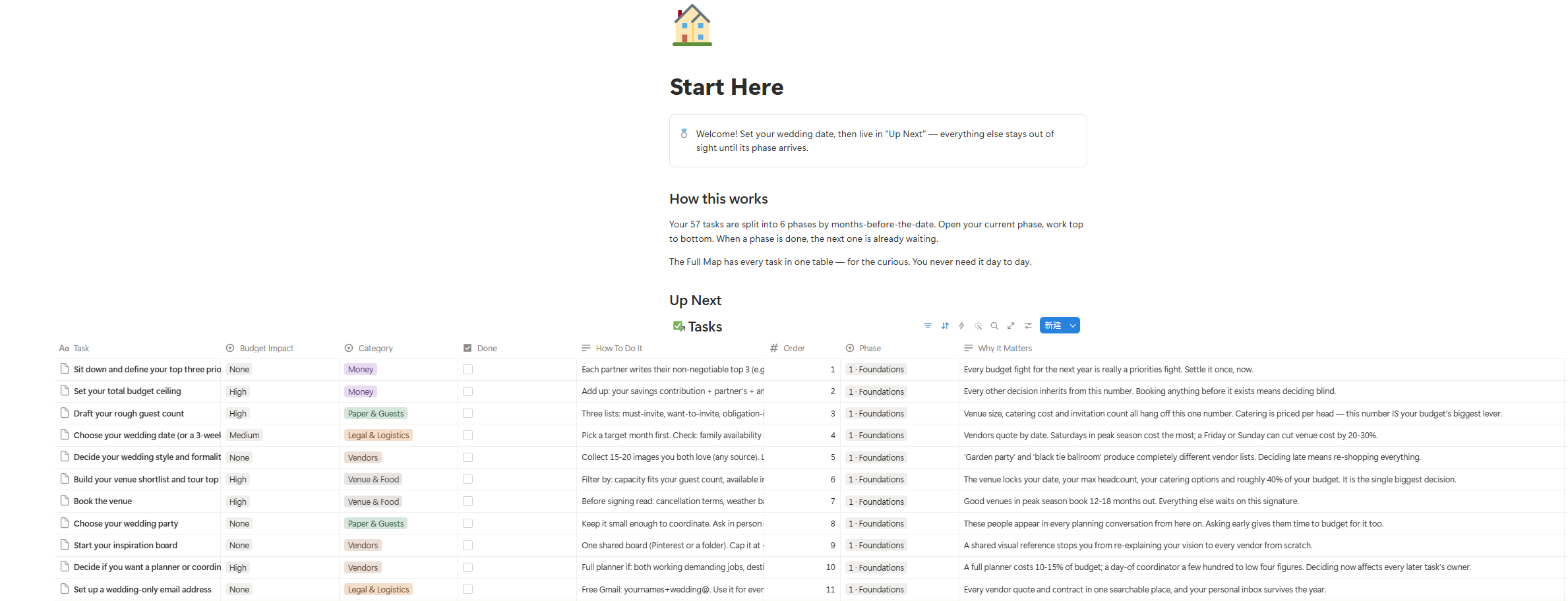
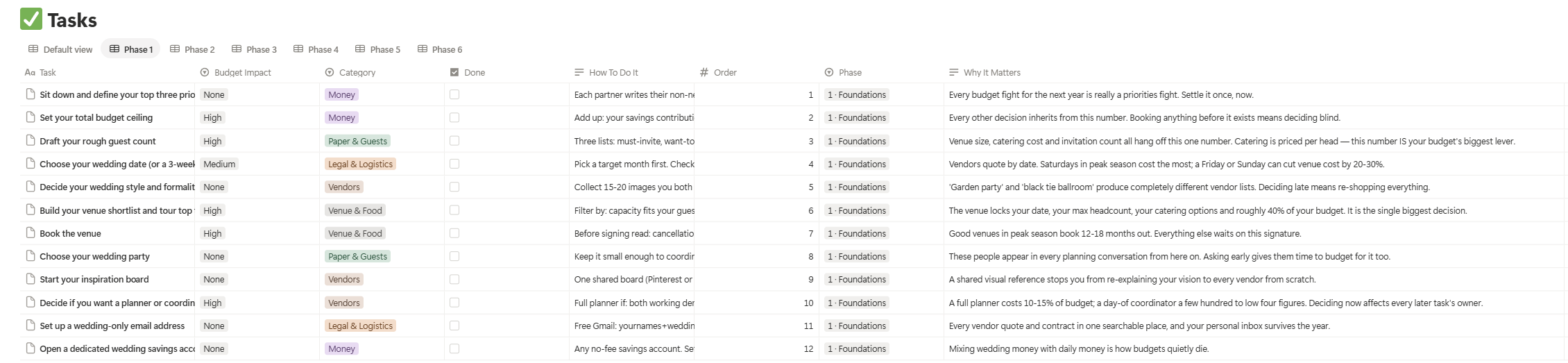
Every task carries two fields most planners skip: why it matters ("good venues book 12–18 months out — everything else waits on this signature") and how to actually do it ("ask for the ALL-fees quote: service, cleaning, overtime"). - 6Phases, keyed to months before your date.
Foundations · The Big Bookings · Look & Feel · Paper & Details · Lock It Down · Handoff Week. - 26Vendor questions — each with its red-flag answer.
Not just what to ask your venue, photographer and caterer, but which answers should make you walk. ("Service charge is administrative" means the tip isn't included.) - 5Databases that talk to each other.
Tasks, Budget (with typical share per category), Guests, Vendors, and a Binder Data Page that gathers everything you'll copy into the printed binder. - 11Pages of printable day-of binder (PDF).
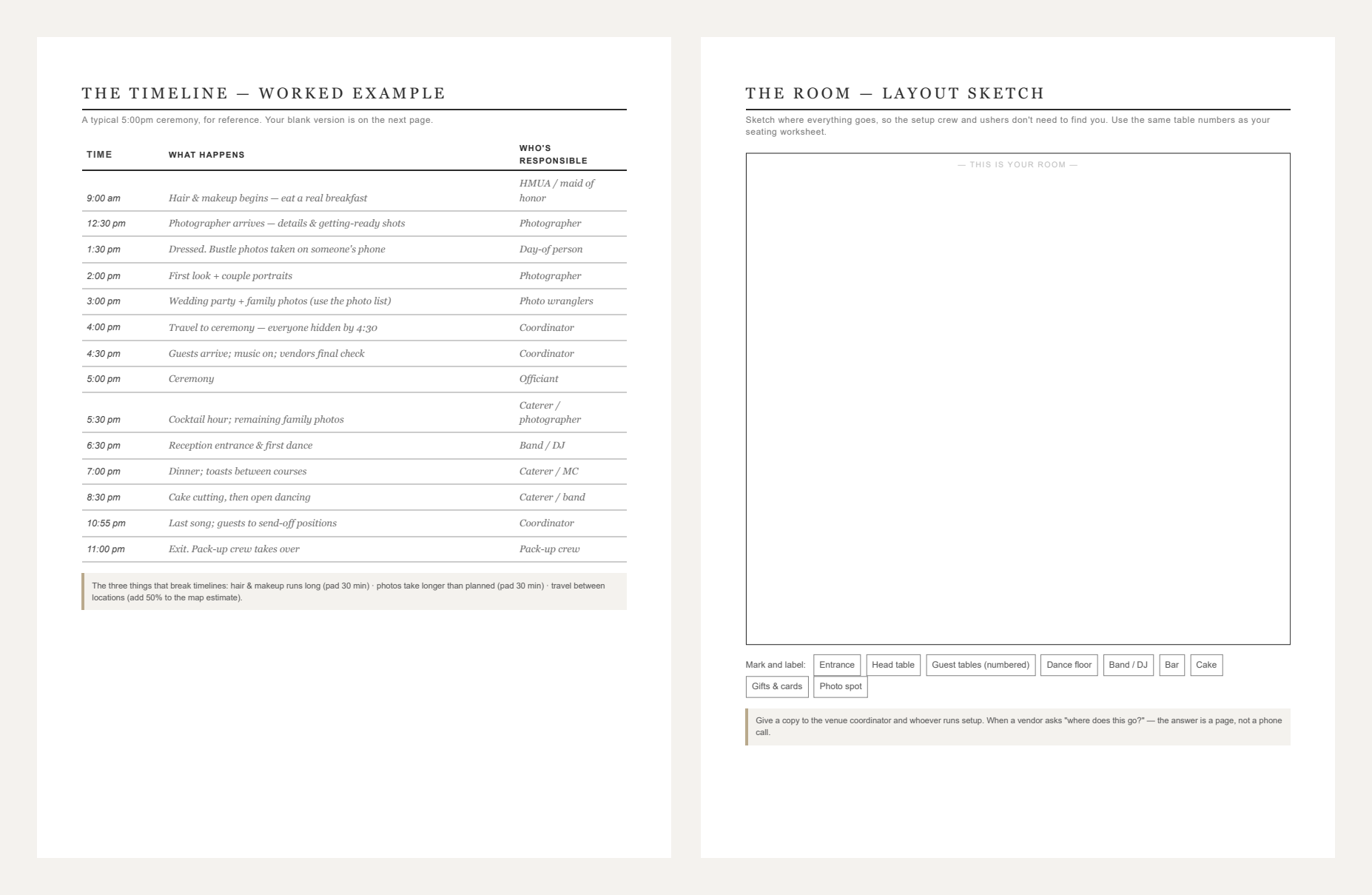
A worked-example timeline plus a blank one, vendor contact cards, seating worksheets, a room layout sketch page, payments & tips with hand-off timing, the emergency kit, and a family photo list. Because on the day itself, nobody's opening Notion. - 5minSetup video.
From duplicate-link to date-entered in five minutes. No Notion experience needed.
How it works
Duplicate & set your date
One click copies the system into your own Notion. Enter your wedding date.
Open your phase
Six phases, from "12+ months out" to "the final two weeks." You only ever work inside the current one.
Do the top item
The Up Next list always shows what's next, in order. Finish one, the next slides up. The list refills itself.
- Full Notion system (duplicate to your account)
- 11-page printable Day-of Binder (PDF)
- 5-minute setup video
- Free updates to this edition
Not ready yet? Get "The First 12" free — your first phase, with the why and the how →
Questions
- What exactly do I get after paying?
- Two things, by email, immediately: a Notion template link (open it, hit "Duplicate," it's yours) and a download link for the 11-page Day-of Binder PDF.
- Do I need a paid Notion account?
- No. Everything works on Notion's free plan.
- My wedding is 8 months away, not 12. Does the phasing still work?
- Yes — the phases are keyed to months-before-your-date, so you simply start in the phase that matches your timeline. The earlier phases become your first week's catch-up list.
- Is this a subscription?
- No. $29 once. Updates to this edition are free.
- What's your refund policy?
- If it's not for you, write within 14 days of purchase and we'll refund it. Full policy here.
- Who makes this?
- A small independent studio. Checkout, invoicing and VAT are handled by Paddle, our merchant of record.